

Smart home EV charger integration shifts your electric vehicle from a simple plug in device into an energy aware appliance that responds to utility rates, solar production, and your daily routine. Most EV owners still treat their charger like a garage appliance with an on off switch. You plug in, it pulls power, you get a bill. There is a better way and it does not require an engineering degree. This guide walks through exactly what works right now, what to avoid, and how to set up a system that saves money without making you want to throw your phone at the wall.
Key Takeaways
- EV owners who always schedule charging spend about $65 per month versus $71 for those who never schedule, a $72 annual savings from a single setting change.
- Only 12% of EV owners enroll in utility smart charging programs, yet 38% already schedule charging manually, revealing a large gap between basic scheduling and full integration.
- Wi Fi and app connectivity issues remain the top frustration for smart charger users, making local fallback and reliable networking non negotiable features.
- Why smart home EV charger integration matters now
- Quick win: estimated savings from off peak smart scheduling
- Top complaints and UX pitfalls to avoid when automating EV charging
- Practical integration paths from simple to advanced
- Recommended features and buying testing checklist for smart home EV chargers
- Example smart home charging schedules and templates with when to use each
- Integration pitfalls and unanswered research questions to flag
- How to measure success: KPIs and monitoring to keep your schedule optimal
- Bottom line quick checklist to implement in 30 to 90 minutes
Why smart home EV charger integration matters now
Integration means more than opening an app and hitting schedule. At the basic level, it is using your charger’s native app to set charging windows. At the advanced level, it is having your charger talk to your solar inverter, your battery storage, and your utility’s real time pricing signals without you touching anything.
The difference matters because electricity is not a flat rate commodity anymore. Time of use tariffs are spreading. Solar export rates are dropping. Utilities are paying customers to shift load away from peak hours. A dumb charger cannot respond to any of this. A properly integrated one can.
The data backs this up. According to the JD Power 2026 Home EV Charging study, only 12% of EV owners are enrolled in utility smart charging programs. Yet 38% say they always schedule charging at home. That gap between program enrollment and scheduling behavior reveals something important. Many owners want control. They just have not connected their charger to the broader energy ecosystem.
This distinction defines what electric vehicle home charging automation actually means in practice. It is not one button magic. It is layers of control that you build up over time. Start with scheduling. Add utility signals later. Layer in solar when you are ready. Each step adds savings and resilience.
For a deeper look at how energy management fits into the bigger picture, our smart home energy management system guide covers the full stack from plugs to panels.
Quick win: estimated savings from off peak smart scheduling
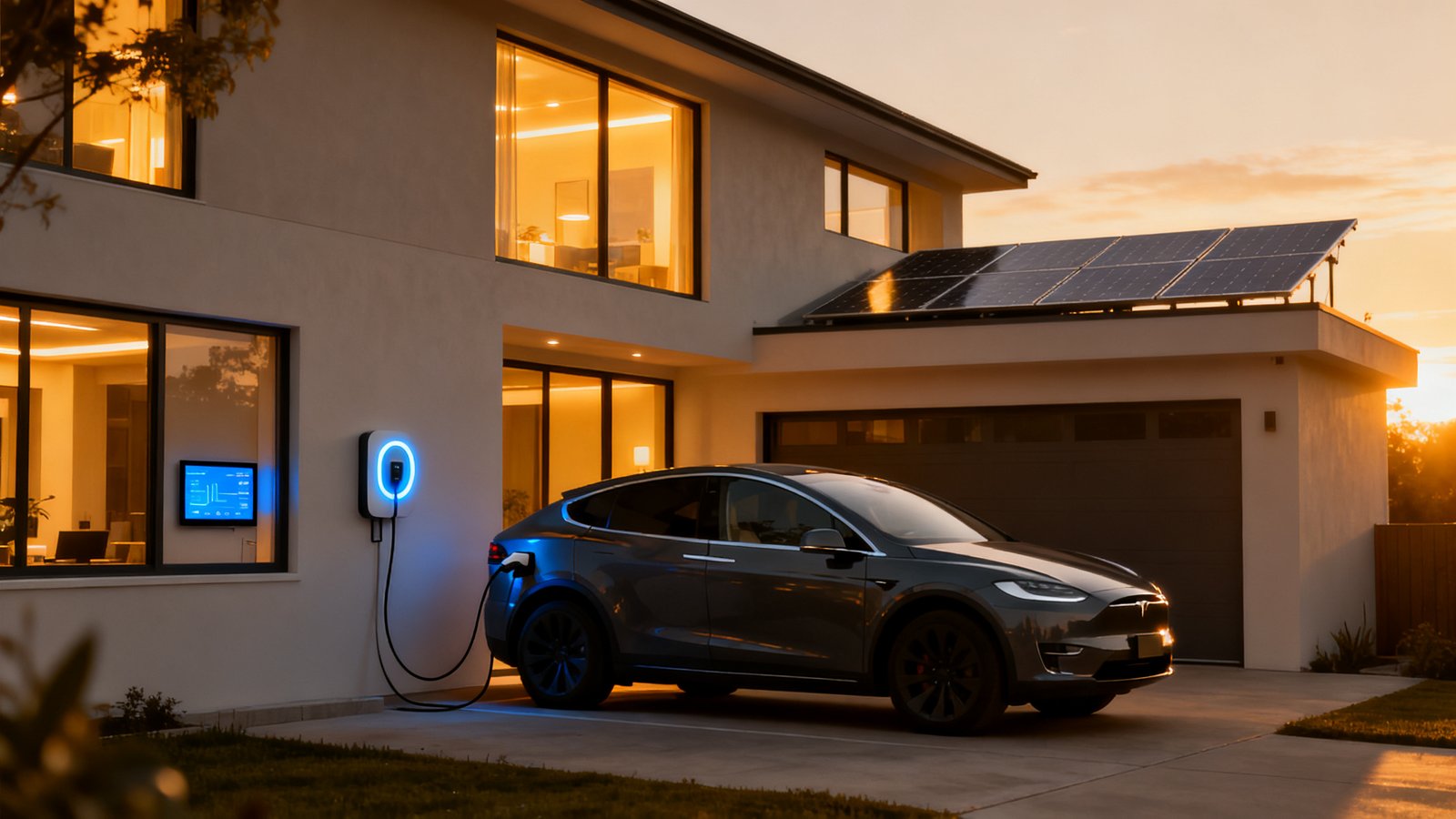
Let us put a real number on what scheduling alone can do. The same JD Power study found that owners who always schedule charging spent an average of $65 per month on home charging. Owners who never schedule spent $71 per month. That is a $6 monthly difference, which adds up to roughly $72 per year.
Seventy two dollars might not sound earth shattering. But consider what it took to earn it. You opened an app, set a start time, and maybe an end time. That is maybe five minutes of effort for a recurring annual return. If you drive 12,000 miles a year on electric, saving $72 represents roughly a ten percent reduction in your annual charging cost from a single configuration change.
Your actual number will vary. Some regions have steeper off peak discounts. California time of use rates can swing from $0.25 per kWh off peak to $0.60 or more during peak summer hours. In those markets, a smart ev charger off peak schedule can save hundreds per year. In flat rate markets, the direct savings shrink but the habit of scheduling still protects you from future rate changes.
The point is not the exact dollar figure. The point is that scheduling is the lowest effort, highest impact first step in any EV charger smart home schedule strategy. If you do nothing else, do this.
Top complaints and UX pitfalls to avoid when automating EV charging
Before you buy a charger or spend a weekend tinkering with automations, understand what frustrates actual users. The JD Power data identifies Wi Fi and mobile app connectivity issues as the leading source of dissatisfaction for Level 2 permanently mounted chargers with advanced features. A smart charger that drops offline reverts to being a dumb charger. You lose scheduling, you lose data, and in some cases, you lose charging altogether until you manually reset the unit.
Beyond connectivity, the Car and Driver charger review flagged specific UX problems that undermine intelligent ev charging schedule setups. One charger required creating two separate rules just to set a simple overnight charging window, one to start and one to stop. Another had a fiddly slider bar for adjusting current output that was easy to bump accidentally, potentially derating the charge speed without the user noticing.
These are not theoretical annoyances. A scheduling interface that demands workarounds increases the chance you will misconfigure something or give up entirely. When evaluating a charger or app, test the scheduling flow before committing. Can you set a single overnight window with one rule? Does the app clearly confirm the schedule is active? Is the current limit setting protected from accidental changes?
Reliability also ties back to your home network. A Wi Fi 7 router or a strong mesh system makes a measurable difference when your charger lives in a garage that might be at the edge of your coverage. The charger’s own radio quality varies by brand, but a solid network foundation removes the most common variable.
Practical integration paths from simple to advanced
You do not need to buy everything at once. Think of integration as three tiers. Start at the level that matches your current setup and appetite for complexity.
Level A: native charger app scheduling only
This is where 38% of EV owners already operate. You use the manufacturer’s app to set a nightly off peak window, typically starting after 9 PM or midnight depending on your utility tariff. No extra hardware. No subscriptions. The charger connects to your home Wi Fi and follows the schedule locally or via cloud.
Pros: Simple, free, works with almost every smart capable Level 2 charger. Cons: No coordination with other home devices, no solar awareness, and you are dependent on the manufacturer’s cloud staying online.
Level B: platform integration via SmartThings, Home Assistant, Apple Home, or Google Home
This tier brings your charger into a broader smart home ecosystem. You can create automations like locking the charger when your alarm system arms at night, or triggering a phone notification if the car is still plugged in when you normally leave for work. Some platforms allow basic energy monitoring dashboards that show charger consumption alongside other loads.
Compatibility varies. Check whether your charger exposes an API or has a verified integration with your chosen platform. Matter support is still emerging for EV chargers, so most integrations today rely on cloud to cloud connections or community built Home Assistant plugins. For those building a privacy focused setup, our local processing guide explains why keeping automations on device matters.
Pros: More contextual automations, better visibility. Cons: Requires a hub or platform, may introduce latency compared to direct app control, and integration quality varies by brand.
Level C: full home energy integration with solar and battery
This is where home energy ev charging optimization becomes real. Your charger, solar inverter, battery storage, and possibly your home energy management system all communicate. On sunny days, the system prioritizes charging the car with excess solar rather than exporting it to the grid at low feed in rates. At night, it draws from battery storage or off peak grid power based on your configured priority rules.
This tier typically requires compatible hardware from the same ecosystem or a third party orchestrator like a Thread mesh network controller or an energy focused hub. Some setups need a professional installation, especially if you are tying into a solar inverter’s control system.
Pros: Maximum savings, energy independence, future proofing. Cons: Higher upfront cost, more complex troubleshooting, and not all charger and inverter brands play nicely together.
Recommended features and buying testing checklist for smart home EV chargers
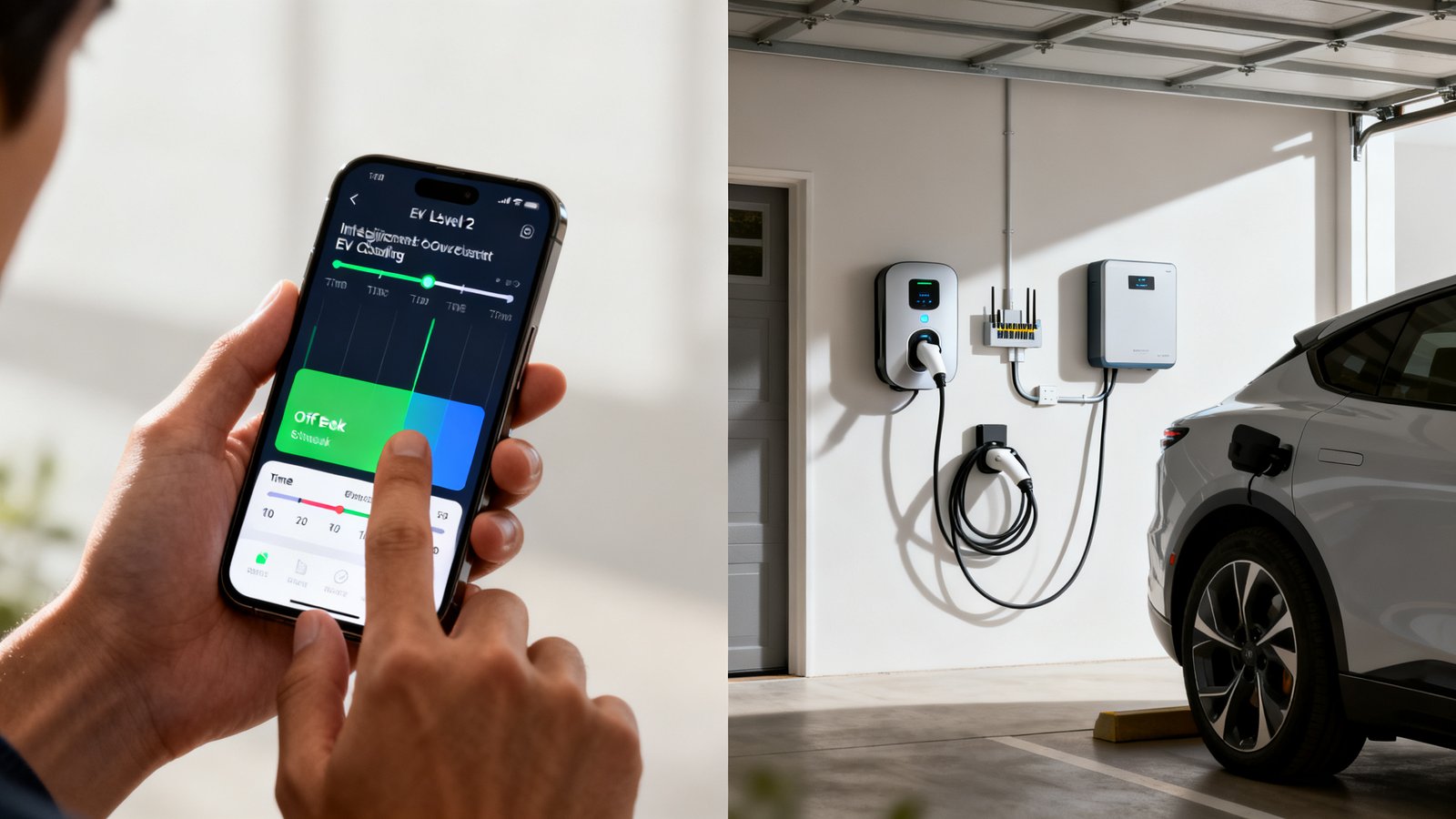
Not all smart chargers are created equal. Before you buy, and again during the first week of use, run through this checklist. It prioritizes the features that determine whether electric vehicle home charging automation actually works day to day or just looks good on a spec sheet.
| Feature | Why it matters | How to test |
|---|---|---|
| Robust local fallback | If the cloud goes down, your schedule must still run | Disconnect your router’s WAN cable and verify the schedule still executes |
| Reliable Wi Fi or Ethernet | Garage signal is often weak; Ethernet eliminates the problem | Check RSSI in the app; consider Ethernet if available |
| Single rule overnight scheduling | Avoids the two rule workaround that frustrates users | During setup, confirm one rule can define both start and end time |
| Configurable current limits with protection | Prevents accidental derating from bumping a slider | Look for a confirm dialog or lock feature on current settings |
| Tariff and utility signal support | Enables automatic response to rate changes | Check compatibility list for your local utility’s demand response program |
| API or home hub compatibility | Required for Level B or C integration | Search your hub platform’s verified device list before purchasing |
Connectivity problems are the number one satisfaction killer for Level 2 chargers according to the JD Power data. A charger with Ethernet or a proven strong Wi Fi radio is worth paying extra for. If your garage has spotty coverage, a Thread mesh network or a dedicated access point can solve the problem before it starts.
Example smart home charging schedules and templates with when to use each
Here are four ready to copy schedule templates. Pick the one that matches your tariff and solar setup. Adapt the times to your utility’s specific off peak windows.
Template 1: strict off peak nightly
Best for: Time of use customers with no solar.
Start time: 12:00 AM. End time: 6:00 AM. Days: all. This captures the deepest off peak window in most markets. The car charges while you sleep and finishes before morning peak rates kick in. If your utility has a super off peak tier from midnight to 3 AM, tighten the window further and rely on the car’s onboard charger to pull enough kW in that shorter window.
Template 2: solar first daytime charging
Best for: Homes with solar panels and low or no battery storage.
Condition: charge only when solar production exceeds household consumption by at least 1.4 kW, typically between 10:00 AM and 3:00 PM. This requires an intelligent ev charging schedule that can read solar export data, which means Level B or C integration. The goal is to consume your own generation rather than exporting at wholesale rates and buying back at retail.
Template 3: hybrid solar plus off peak
Best for: Homes with solar and battery storage.
Priority 1: charge from excess solar between 9:00 AM and 4:00 PM. Priority 2: if the battery is above 80% and solar is still producing, increase charging current. Priority 3: if the car is below 50% by 10:00 PM, top up from the grid during off peak hours. This prevents the system from draining the home battery to charge the car, which is usually a net loss.
Template 4: emergency top up window
Best for: Occasional use when you forget to plug in or have an unexpected trip.
Override: allow immediate charging for 30 minutes at full power, then revert to the scheduled program. Map this to a button in your smart home app or a voice command. This avoids the common frustration of needing a quick charge and having to dig through menus to temporarily disable all your carefully crafted schedules.
The EV charger smart home schedule you choose should match your real driving patterns. If you drive 20 miles a day, a short off peak window is plenty. If you regularly deplete the battery, you may need a longer window or higher amperage. Owners who schedule consistently spend roughly $65 per month versus $71 for those who never schedule. The template you pick puts that $6 monthly savings on autopilot.
Integration pitfalls and unanswered research questions to flag
Smart home EV integration is not a finished product category. Several important gaps exist that buyers should know about before making long term decisions.
Matter 1.3 and EV commands. The Matter protocol added energy management specifications, but EV charger specific commands are not widely implemented in consumer hardware as of 2026. No major charger brand currently advertises full Matter certification for EV control. If a sales page mentions Matter, ask specifically which Matter clusters the device supports and test them before relying on cross platform automations.
Latency of cloud versus local control. No published benchmark data compares the response time of Matter based EV control to proprietary apps. Anecdotally, cloud dependent chargers can take several seconds to respond to a start or stop command, while locally controlled units respond almost instantly. This matters when you are trying to align charging with real time solar production or dynamic tariff signals that change every few minutes.
Cost of AI driven solar, battery, and EV orchestration. The research sources we reviewed contain no pricing data for full AI orchestration systems that manage solar, battery storage, and EV charging as a single optimized unit. These systems exist, but costs are opaque and vary by installer, hardware ecosystem, and subscription model. Budget for ongoing software fees if you go this route. Our AI smart home automation article covers the broader landscape of predictive home systems.
Which smart hubs support Matter EV chargers in 2026. No comprehensive compatibility list exists yet. SmartThings, Apple Home, Google Home, and Home Assistant all support the Matter protocol, but EV charger support depends on the specific Matter device type definitions each platform has adopted. Check each hub’s compatibility page for EV charger listings. If the list is empty, the support is not there yet.
These gaps do not mean you should avoid integrating your charger. They mean you should verify claims, test fallback behavior, and avoid betting your entire setup on a single protocol that is still maturing.
How to measure success: KPIs and monitoring to keep your schedule optimal
You cannot optimize what you do not measure. Set up these simple metrics and check them monthly.
kWh charged during off peak hours. Most charger apps show a charging history log. Calculate what percentage of your total monthly kWh falls within your off peak window. Target 90% or higher. If you are below that, your schedule windows may be too short or your driving patterns have changed.
Dollars saved per month. Use the $65 versus $71 benchmark from the JD Power data as your initial yardstick. If you were not scheduling before, you should see your monthly charging cost drop by roughly $6 after implementing a basic off peak schedule. Track this over three months to smooth out variations in mileage.
Charger uptime and connectivity events. Note every time your charger drops offline or fails to follow its schedule. More than one connectivity failure per month is a red flag. Investigate whether the issue is your Wi Fi, the charger’s radio, or the manufacturer’s cloud service.
Solar self consumption percentage. If you have solar and battery, track how much of your solar production goes into the car versus being exported. A well tuned home energy ev charging optimization setup should push solar self consumption above 70% on sunny days.
Most of these metrics are available in your charger’s app or your home energy dashboard. No need for extra hardware unless you want granular circuit level monitoring.
Bottom line quick checklist to implement in 30 to 90 minutes
Here is the condensed action plan. Block out an hour, grab your phone, and run through these steps in order.
- Open your charger’s app and locate the scheduling menu. Set a single overnight window that aligns with your utility’s off peak hours. If your utility has not published off peak times, midnight to 6 AM is a safe default.
- Plug in your car during the day and verify the charger does not start charging until the scheduled window begins. Wait to confirm it starts on time and stops on time.
- Disconnect your router from the internet briefly and confirm the charger still follows its schedule using local memory. If it fails, your charger lacks local fallback and you need a different unit or a different strategy.
- Log your current monthly charging cost as a baseline. Check your utility bill or charger app for the previous month’s total. Write it down.
- After 30 days, compare your new monthly cost against the baseline. Target the $65 per month benchmark that consistent schedulers achieve.
- If you have solar, explore whether your inverter brand offers an EV charging integration module. Enable it and set solar priority rules.
That is it. Five to six steps, most completed in under an hour, and you have moved from dumb charging to a smart home EV charger integration that saves money every month without ongoing effort.
Conclusion
Smart home EV charger integration is not about buying the most expensive charger or wiring up a complicated automation that breaks every other week. It starts with one schedule. One off peak window. Five minutes of configuration. That alone moves you from the $71 per month cohort to the $65 per month cohort, saving $72 a year with zero ongoing maintenance.
From there, each additional layer, utility program enrollment, platform integration, solar orchestration, adds incremental savings and resilience. But the foundation is always the same: a reliable charger, a solid network connection, and a schedule that runs whether the cloud is up or not. The checklists in this guide give you everything you need to buy the right hardware, avoid the UX traps that frustrate other owners, and build an integration path that matches your actual needs. Start tonight. Open the app. Set the schedule. That is the whole first chapter of smart home EV charger integration done.
Frequently Asked Questions
What is smart home EV charger integration?
Smart home EV charger integration means connecting your Level 2 charger to your home network and optionally to a broader smart home platform so it can respond to schedules, utility rate signals, solar production data, or automation triggers. It ranges from simple app based scheduling to full coordination with solar inverters and battery storage systems.
How much money can I save by scheduling my EV charging?
According to JD Power’s 2026 study, EV owners who always schedule charging spend an average of $65 per month compared to $71 for those who never schedule. That is roughly $72 per year in savings from scheduling alone. Savings increase in regions with steep time of use rate differences.
Do I need a smart home hub for EV charger integration?
Not for basic scheduling. Most smart enabled Level 2 chargers include a native app that handles scheduling without a hub. A hub becomes useful if you want to coordinate the charger with other devices, automate based on solar production, or use voice assistants to control charging.
What are the most common problems with smart EV chargers?
The leading complaint is Wi Fi and mobile app connectivity issues, which can prevent schedules from running and disable advanced features. Other common frustrations include scheduling interfaces that require multiple rules for a simple overnight window, sliders that are easy to bump accidentally, and chargers that lack local fallback when the cloud service goes down.
Does Matter support EV chargers in 2026?
Matter has added energy management specifications, but EV charger specific commands are not yet widely available in consumer hardware. No major charger brand advertises full Matter certification for EV control as of 2026. Check individual hub compatibility lists before purchasing a charger based on Matter support claims.