

A smart home energy management system is the most direct path to cutting your monthly electricity bill by 5–22% without sacrificing comfort, and this guide will show you exactly how to choose hardware, decide between DIY or professional installation, and set realistic ROI timelines based on 2024 market data. Whether you want to automate off-peak EV charging, optimize HVAC run times, or simply track where your money is going each month, the right combination of monitoring and automation delivers measurable savings. This is not a “set and forget” miracle; it requires upfront research, careful component selection, and honest expectations about what the data does and does not tell us.
Key Takeaways
- Documented savings range from 2–9% on smart appliances, up to 10% for HVAC, and 5–22% overall with thermostat and monitoring integration.
- ROI timelines average 1–3 years for smart thermostats and 2.6 years for enterprise-grade energy management software, with 25% of users breaking even within the first year.
- 2024 research lacks clear DIY vs. pro savings comparisons, so decision-making hinges on complexity: simple plug-and-thermostat setups work DIY; whole-home CT clamps and EV integration call for professional installation.
Table of Contents
- Why a Smart Home Energy Management System Pays Off
- Professional Installation vs. DIY — What the 2024 Data Shows
- What Kind of Savings and ROI Timeline Can You Expect in Practice?
- Core Components You Need (Hardware Checklist for a 2,000 sq ft Home)
- What the Research DOESN’T Tell Us — Critical Data Gaps Buyers Should Know
- Highest-Impact Integrated Features (and Why You Should Prioritize Them)
- Common User Problems & How to Avoid Them
- Cybersecurity & Privacy — What to Ask Vendors in 2024
- Shopping & Setup Playbook — Step-by-Step for the Buyer Ready to Purchase
- Product & Vendor Selection Cheat-Sheet
- FAQ
Why a Smart Home Energy Management System Pays Off (Quick ROI Primer)
The financial case for a smart home energy management system rests on two pillars: monitoring what you use, and automating when you use it. According to 2024 industry findings, general smart home energy management savings range from 2–9% on energy costs for smart appliances, up to 10% for HVAC systems, 7–27% for smart lighting, and 5–22% overall utility bill reductions with thermostats and monitoring. Those percentages translate to real dollars: a household spending $200 per month on electricity could save $10–44 monthly, or $120–528 annually.
The highest returns come from layering technologies. A smart thermostat alone may deliver 5–10% HVAC savings; adding occupancy sensors, smart plugs for standby loads, and real-time dashboards pushes total reduction into the double digits. One 2024 survey of EnergyCAP software users reported 7.5% year-over-year utility bill savings, which is 2.5 times higher than the 3% median documented by Lawrence Berkeley National Laboratory studies. These users combined continuous monitoring, alerting, and operational adjustments, proving that software-plus-hardware ecosystems outperform isolated devices.
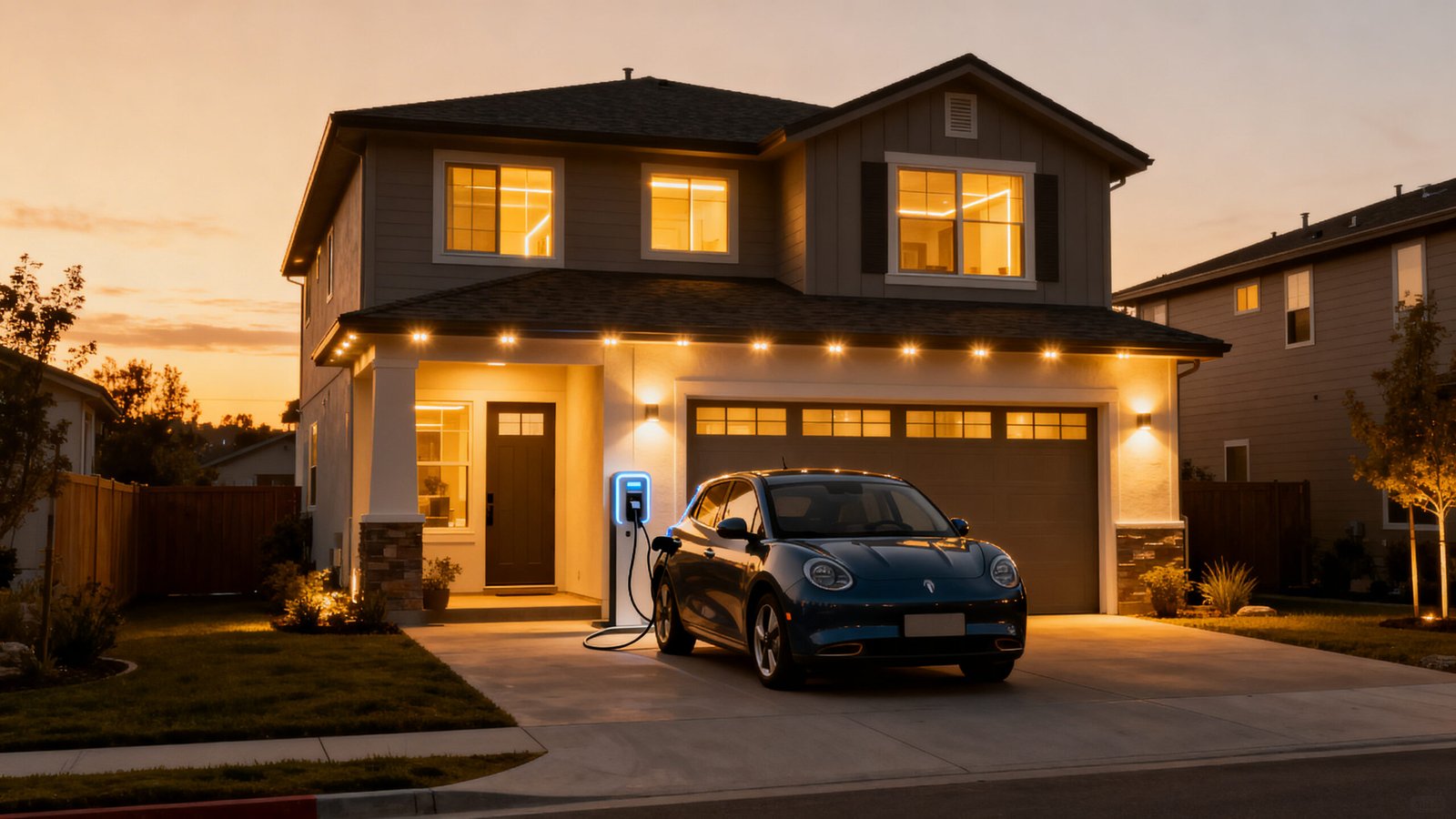
Short-term gains appear within the first billing cycle once automation rules are active. Long-term value accumulates as you fine-tune schedules, enroll in utility demand-response programs, and replace legacy appliances with monitored alternatives. The key is setting realistic expectations: do not expect 30% savings overnight, but do count on measurable, compounding improvements that pay back hardware costs within 1–3 years.
Professional Installation vs. DIY — What the 2024 Data Shows (and Doesn’t)
No 2024-specific data distinguishes professionally installed from DIY systems on average monthly or annual kWh savings or ROI timelines, according to multiple industry sources. That gap means your decision must hinge on complexity, safety, and coordination needs rather than documented performance differences.
Use this decision framework for intelligent energy optimization home setups:
When DIY Makes Sense
- Smart plugs, Wi-Fi-enabled thermostats, and battery-powered sensors require no electrical panel work.
- Your utility offers plug-and-play whole-home monitors that clamp onto service wires without breaking the main breaker seal.
- You are comfortable with mobile app setup and basic network troubleshooting.
When to Hire a Professional
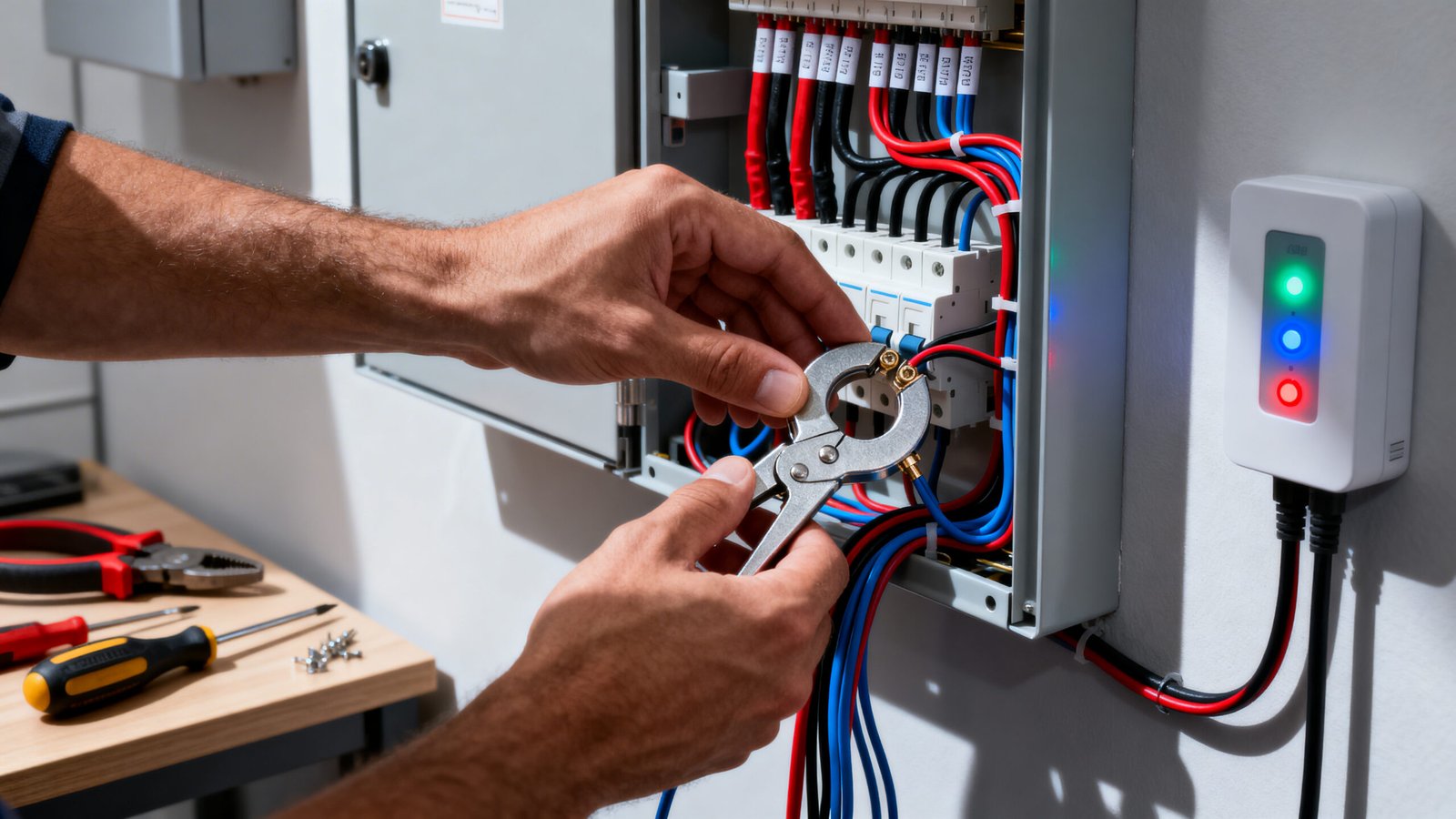
- You want current-transformer (CT) clamps installed inside your breaker panel for circuit-level monitoring.
- Integration with rooftop solar inverters, battery storage, or Level 2 EV chargers requires load-center wiring or utility interconnection approvals.
- Your utility offers rebates that require licensed electrician sign-off or inspection.
- You plan to participate in demand-response programs that may involve automated breaker control or grid-interactive inverters.
Safety and code compliance are non-negotiable. Any work inside a breaker panel or involving hardwired 240V circuits should be performed by a licensed electrician. Even if you lose no measurable efficiency going DIY, you risk voiding insurance or utility agreements if installation does not meet National Electrical Code standards.
Questions to Ask an Installer (Checklist)
- Are you licensed and insured for residential panel work in this jurisdiction?
- Will you provide itemized hardware and labor quotes separately?
- Do you have case studies or references from similar 2,000 sq ft homes?
- Which monitoring platforms do you support, and can I export my own data?
- What is your firmware update and support policy after installation?
What Kind of Savings and ROI Timeline Can You Expect in Practice?
Real-world ROI timelines depend on upfront cost, monthly savings percentage, and whether you layer software analytics on top of hardware. EnergyCAP software users report an average ROI timeline of 2.6 years, with 25% breaking even within the first year. Smart thermostats, despite costing two to three times more than manual models, typically achieve ROI in 1–3 years because HVAC accounts for 40–50% of residential energy use.
Plug loads, which include entertainment centers, home offices, and kitchen appliances, show up to 50% savings potential in some households when managed with smart plugs and scheduling. If you spend $20/month on always-on devices, cutting that by half recovers the cost of a four-pack of smart plugs in under six months.
Simple ROI Worksheet Example
| Input | Your Value |
|---|---|
| Current monthly kWh | 1,000 kWh |
| Current cost per kWh | $0.15 |
| Expected savings % | 10% |
| Monthly dollar savings | $15 |
| Hardware + install cost | $600 |
| Annual subscription | $0 |
| Payback period (months) | 40 months (3.3 years) |
Adjust each row with your own utility rate, square footage, and device mix to forecast your break-even point. If smart thermostat energy savings 2026 trends continue upward with improved machine learning, expect shorter timelines as algorithms get better at predicting occupancy and weather.
Core Components You Need (Hardware Checklist for a 2,000 sq ft Home)
Building a functional home energy monitor smart plug ecosystem for a typical suburban house involves five hardware categories. The HEMS market is valued at $6.4B in 2024 with 14.3% CAGR, and smart home energy devices grew from $3.7B in 2023 to an estimated $8.91B by 2029, so vendor choice and product longevity are increasingly reliable.
1. Whole-Home Energy Monitor or CT Clamps
These devices measure total household consumption in real time. Panel-mounted CT clamps provide circuit-level granularity; plug-and-play monitors attach to your meter or service entrance. Look for 1-second or faster sampling rates and ±2% accuracy. Examples include Sense, Emporia Vue, and Curb.
2. Smart Thermostat
Choose models with occupancy learning, geofencing, and utility rate integration. Ecobee, Nest, and Honeywell dominate this space. Verify compatibility with your HVAC system before purchase.
3. Smart Plugs and Switches
Deploy these on high-wattage or always-on loads: window AC units, space heaters, entertainment centers, and home office equipment. Prioritize plugs with energy monitoring built in. A smart plug can transform any device into a controllable, schedulable appliance.
4. Occupancy and Environmental Sensors
Motion, door/window, and temperature sensors feed automation rules. Brands like Aqara, SmartThings, and Philips Hue offer affordable sensor kits that integrate with major platforms.
5. EV Charger Integration and Solar/Battery Interface
If you drive an EV or have rooftop solar, ensure your monitoring hub can pull data from your charger (via OCPP or manufacturer API) and inverter (SolarEdge, Enphase, Tesla Gateway). This unlocks load-shifting and self-consumption optimization.
Because 2024 research lacks precise per-home hardware cost ranges, budget $300–800 for a mid-tier DIY setup (whole-home monitor, smart thermostat, four smart plugs, basic sensors) and $800–1,500 for a professional installation with CT clamps and panel integration. Always request itemized quotes and compare warranty terms.
What the Research DOESN’T Tell Us — Critical Data Gaps Buyers Should Know
Transparency is essential: no 2024-specific data distinguishes professionally installed from DIY systems on average monthly/annual kWh savings or ROI timelines. Search results also lack user reviews identifying top recurring complaints for leading home energy monitor smart plug products on data accuracy or app functionality. Additionally, no data specifies typical hardware cost ranges for mid-tier systems covering 2,000 sq ft homes, excluding subscriptions.
Other missing pieces include:
- Detailed competitor technical gaps (appliance-level tracking granularity, utility rate integration quality).
- Quantified market penetration rates for demand response, EV coordination, and solar optimization features.
- Specific 2024 expert-cited cybersecurity vulnerabilities (API endpoints, local vs. cloud data handling).
Turn these gaps into due-diligence opportunities:
- Ask vendors for real-world case studies with verifiable before/after utility bills.
- Request sample dashboards or trial access to assess data granularity and app usability.
- Get installer references and call past customers to ask about hidden costs or performance issues.
- Demand an itemized hardware and installation quote so you can compare apples-to-apples across three vendors.
Do not accept vague “up to 30% savings” marketing claims without supporting evidence. Legitimate vendors will share anonymized customer data or third-party audits.
Highest-Impact Integrated Features (and Why You Should Prioritize Them)
AI-powered features deliver the steepest bill reductions. According to research, automatic pre-cooling during off-peak hours, delaying off-peak charging smart home EV sessions until electricity prices drop, real-time energy dashboards, HVAC remote adjustments, peak-time pricing alerts, and smart thermostat/lighting/solar/battery integrations yield bill reductions including a 35% grid dependency cut (with 65% household participation in one residential complex) and general 2–15% energy savings.
Feature Priority Ranking
1. EV Off-Peak Charging Coordination
If you drive electric and your utility offers time-of-use rates, scheduling your Level 2 charger to start after midnight can cut charging costs by 50%. Integrate your charger with your monitoring platform so it pauses during demand-response events.
2. Automatic Demand Response Participation
Utilities pay enrolled customers to reduce load during grid stress. Your system can automatically adjust thermostat setpoints, pause pool pumps, or cycle off non-critical loads. Enrollment is usually free and can deliver $50–200 annual credits.
3. Solar + Battery Optimization
If you have solar panels and battery storage, intelligent systems prioritize self-consumption over grid export and charge batteries when rates are low. This maximizes your investment and insulates you from rate hikes.
4. AI-Driven Load Shifting (Pre-Cooling/Heating)
Machine learning algorithms predict occupancy and weather, then pre-condition your home during cheap-rate windows. You stay comfortable while avoiding expensive peak hours.
5. Real-Time Dashboards Tied to Utility Rates
See your cost-per-hour in real dollars, not abstract kWh. This behavioral feedback loop drives 5–10% reductions through awareness alone.
Research does not provide quantified market penetration for these features, so ask vendors what percentage of their installed base actively uses each capability. High adoption suggests reliability and user satisfaction.
Common User Problems & How to Avoid Them (App Functionality, Data Accuracy, and UX)
Search results lack user reviews identifying top recurring complaints for leading smart plugs or whole-home energy monitors on data accuracy or app functionality, but common failure modes exist: delayed or incorrect readings, app sync issues, confusing user interfaces, and unreliable automations.
Mitigation Checklist
- Delayed readings: Choose devices with 1-second or real-time sampling. Avoid products that batch-upload data every 15 minutes.
- Incorrect readings: Verify CT clamp installation polarity and calibration. Many monitors require a one-time calibration against a known load (e.g., a 1500W space heater).
- App sync issues: Prioritize vendors with local data logging and offline modes. Cloud-only platforms fail when your internet drops.
- Confusing UIs: Demo the app before purchase. If the interface is cluttered or requires five taps to see daily cost, pick a competitor.
- Unreliable automations: Test each rule in isolation before stacking dependencies. Use time-based triggers over complex conditional logic until you trust the system.
Questions to Ask Vendor Support
- What is your firmware update cadence and process?
- Do you store data locally or exclusively in the cloud?
- Can I export my raw data in CSV or JSON?
- What is your average app store rating over the past 12 months?
Building a reliable smart home routine requires devices that integrate smoothly and update regularly. Poor software support ruins even the best hardware.
Cybersecurity & Privacy — What to Ask Vendors in 2024
Smart home devices monitor and transmit user data like operation patterns, raising data privacy concerns. While no specific 2024 expert-cited lesser-known vulnerabilities (API endpoints, local vs. cloud data) are detailed in available research, conservative best practices protect you.
Vendor Security Checklist
- Encryption in transit and at rest: Confirm TLS 1.2+ for cloud communication and AES-256 for stored data.
- Local control option: Can the system operate without internet? Local-only modes prevent remote exploits.
- API security: Ask whether APIs require token-based authentication and rate limiting. Public, unauthenticated endpoints are red flags.
- Firmware update policy: How often are security patches released? Can updates be deferred or require manual approval?
- Data retention and deletion: Will the vendor delete your data on request? Is there a maximum retention window?
- Third-party audits: Does the company hold SOC 2, ISO 27001, or similar certifications? Have they disclosed penetration test results or participated in a bug bounty?
- Multi-factor authentication: Require MFA for all accounts accessing the system.
Whole home energy automation platforms aggregate operational data from multiple devices, creating a single point of compromise. Segregate your energy-monitoring network onto a dedicated VLAN or guest Wi-Fi if your router supports it, and disable Universal Plug and Play (UPnP) to prevent unauthorized device discovery.
Shopping & Setup Playbook — Step-by-Step for the Buyer Ready to Purchase
Follow this six-step sequence to deploy your smart home energy management system with minimal trial and error:
Step 1: Audit Your Loads & Utility Rates
Pull 12 months of utility bills and identify your highest-cost months. Note your rate structure (flat, tiered, or time-of-use). List your major appliances, HVAC zones, and always-on devices.
Step 2: Define Your Goals
Rank priorities: EV charging cost reduction, HVAC automation, plug-load control, solar self-consumption, or demand-response enrollment. Your goal list drives hardware selection.
Step 3: Choose Your Scale
Start small (smart plugs plus thermostat) or go comprehensive (whole-home CTs, EV integration, battery interface). Smaller pilots cost $300–500 and deliver ROI in under two years; full systems cost $800–1,500 but unlock deeper savings.
Step 4: Get Three Quotes
For professional installs, request itemized quotes covering hardware, labor, permits, and any subscription fees. For DIY, compare starter kits from Sense, Emporia, and Curb. Verify compatibility with your utility meter and breaker panel.
Step 5: Pilot Critical Loads for 30 Days
Deploy monitoring first, automation second. Collect baseline data for 30 days, then activate scheduling and automation rules. Compare month-over-month to isolate weather effects from system performance.
Step 6: Scale and Enroll in Utility Programs
Once you validate savings, add more devices and enroll in demand response or time-of-use rate plans. Many utilities offer free smart thermostats or rebates for participants.
ROI timelines include 2.6 years average for enterprise software and 1–3 years for smart thermostats, so expect to break even within your system’s warranty period if you follow disciplined monitoring and adjustment.
Product & Vendor Selection Cheat-Sheet (What to Prioritize)
Use this scoring rubric to evaluate home energy monitor smart plug vendors and platforms:
Accuracy & Sampling Rate
Demand ±2% accuracy and 1-second (or better) sampling for whole-home monitors. Smart plugs should report within ±5% and update every 5–10 seconds. Slower intervals miss transient loads and peak events.
Local Data Retention
Prefer devices that log data locally for at least 7 days. Cloud-only platforms fail during outages and raise privacy concerns.
Utility-Rate Integration
The system should pull your rate schedule automatically and display cost-per-hour. Manual rate entry becomes stale and error-prone.
EV & Solar Integration
Verify API support or direct integrations with your EV charger brand (ChargePoint, JuiceBox, Tesla Wall Connector) and solar inverter (Enphase, SolarEdge, Tesla Powerwall).
Firmware Update Cadence
Vendors should release updates quarterly at minimum. Check app store reviews for mentions of “abandoned” or “no updates in a year.”
Cost-to-Benefit Ratio
Calculate cost per monitored circuit or device. A $300 whole-home monitor tracking 16 circuits costs $18.75 per circuit; a $200 monitor tracking 8 circuits costs $25 per circuit. More granularity usually justifies a higher price.
Vendor Interview Questions
- How many active installations do you have in my utility service territory?
- Can you provide a reference customer I can contact?
- What is your average support response time?
- Do you offer a trial period or money-back guarantee?
- Can I export my data if I cancel my subscription?
- What happens to my automations if your cloud service goes offline?
Red Flags
- No local control or offline mode.
- Opaque or nonexistent firmware update policy.
- Generic “up to X% savings” claims without case studies or third-party validation.
- Mandatory multi-year subscription with no monthly option.
- Negative app store reviews citing data loss or billing disputes.
The HEMS market valued at $6.4B in 2024 with 14.3% CAGR means vendor consolidation and product turnover are real risks. Choose companies with multi-year track records and active user communities.
FAQ
Do I need a subscription to use a smart home energy management system?
Many whole-home monitors offer free basic dashboards and charge $5–15/month for advanced features like utility-rate tracking, historical comparisons, or solar optimization. Smart thermostats typically have no subscription. Always confirm upfront costs and feature gates before purchase.
When will I see measurable savings on my bill?
Most households notice 5–10% reductions within the first full billing cycle after activating automation rules. Cumulative savings grow as you refine schedules and add more devices. ROI timelines average 1–3 years depending on hardware cost and electricity rates.
Can I install this myself, or do I need an electrician?
Simple setups (smart plugs, Wi-Fi thermostats, plug-and-play monitors) are safe DIY projects. Any work inside your breaker panel or involving hardwired 240V circuits requires a licensed electrician for code compliance and safety.
Will a smart home energy management system work with my solar panels or EV charger?
Most modern platforms integrate with major solar inverters (Enphase, SolarEdge, Tesla) and EV chargers (ChargePoint, JuiceBox, Tesla Wall Connector) via APIs or local network protocols. Verify compatibility with your specific models before purchase.
What happens if my internet goes down?
Devices with local data logging and offline automation continue to operate. Cloud-only systems lose remote access and may pause automations until connectivity is restored. Prioritize vendors that support local control modes.
Take Action: Start Saving Today
A smart home energy management system is not a luxury; it is a practical investment that pays for itself through lower bills, automated comfort, and grid flexibility. Whether you start with a $50 smart plug pilot or commit to a $1,200 whole-home install, the data shows measurable ROI within 1–3 years. The gaps in 2024 research highlight the importance of asking vendors hard questions, piloting before scaling, and validating savings against your own baseline.
Your next step depends on your budget and complexity tolerance. If you want quick wins, buy a smart thermostat and four smart plugs this week, track 30 days of data, and scale from there. If you need circuit-level visibility or plan to integrate EV charging and solar, request quotes from three licensed installers and compare their case studies. Either path leads to the same destination: a home that uses energy intelligently, costs less to operate, and gives you control over every watt. For more ideas on automating your household efficiently, explore our guide to building a smart home routine or learn how a smart deadbolt can integrate into your energy-conscious security strategy.
Three CTAs to match your intent:
- Ready for professional installation? Request tailored quotes from local electricians who specialize in energy management systems.
- Prefer DIY? Start with a mid-tier whole-home monitor kit (Sense, Emporia Vue, or Curb) and a compatible smart thermostat.
- Want to calculate your ROI first? Download our free ROI worksheet and pilot measurement checklist to forecast savings before spending a dollar.