

A cellular security camera no WiFi solves a problem that standard smart cameras simply cannot touch: how to monitor a barn, cabin, or remote gate when there is no internet line for miles. You are not just shopping for a gadget. You are building a tiny, self-contained surveillance outpost that must survive freezing nights, overcast weeks, and the occasional curious cow. This guide strips away the marketing claims and gives you the technical checklist, the real solar math, and the specific questions most buying guides leave out.
Key Takeaways
- A properly sized solar and battery kit, like the 100W panel with 962Wh battery from Milesight, can deliver 17 days of continuous 4G recording even in cloudy conditions. Undersized panels are the number one reason off grid cameras fail in winter.
- No major manufacturer publishes a monthly data cost for continuous cloud streaming over LTE. Budget for event based recording with local SD storage as your primary mode, and treat cloud streaming as a short, manual check in tool.
- Ask every seller about SIM lock, latency, and cold weather battery performance before you buy. These three specs are absent from nearly every top ranking review but will determine whether your camera works when you actually need it.
- Why pick a cellular security camera no WiFi for remote properties
- Real solar sizing for 24/7 4G recording in overcast areas (what vendors rarely quantify)
- Battery capacity and reserve rules of thumb for cloudy rainy periods
- Data plans and the real cost question — what to expect for LTE usage
- Specs frequently omitted by top guides — what to ask the seller
- Continuous streaming vs event based recording — battery, data, and practical tradeoffs
- Installation challenges and placement tips for large rural properties
- Common buyer red flags and warranty support considerations
- 2026 cost example: camera kit + 1 year of data — realistic baseline and unknowns
- Buyer’s final checklist and 10 vendor questions to quote in sales replies
- Conclusion
- Frequently Asked Questions
Why pick a cellular security camera no WiFi for remote properties
A cellular security camera no WiFi operates on 4G LTE mobile networks instead of relying on a home broadband connection. For rural property owners, this is not a luxury. It is often the only viable option. Your cabin sits at the end of a dirt road. Your livestock pen is 800 yards from the nearest outlet. The seasonal rental property has no ISP willing to run a line. In every one of these scenarios, a standard WiFi camera is useless.
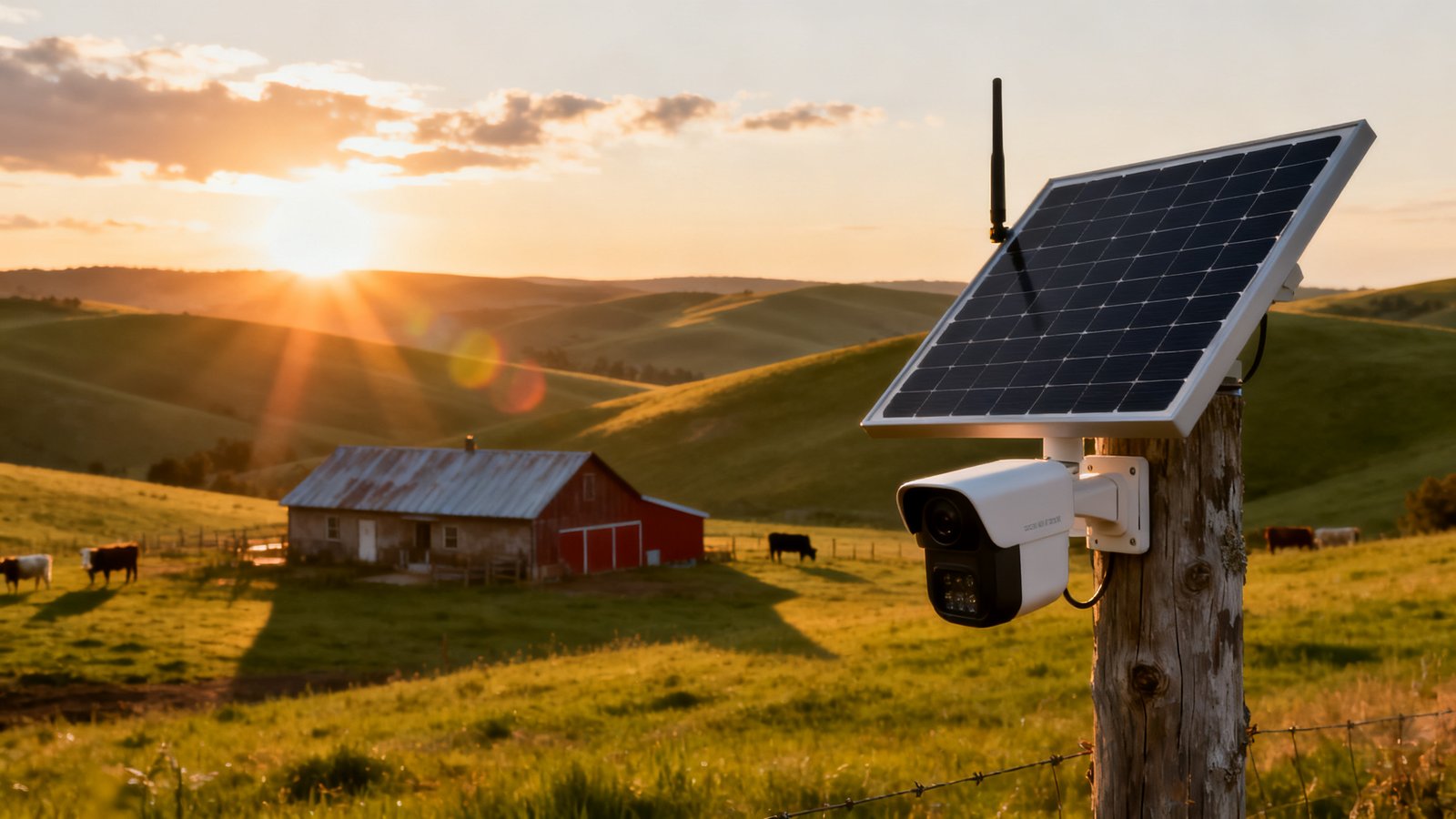
The core value proposition is true off grid independence. A well designed security camera without internet from a traditional ISP still connects you to live footage through the cellular network. It does not care about power outages at the house or whether the cable company fixed the line after last week’s storm. You insert a data SIM, mount the solar panel, and it runs.
There is a critical tradeoff that many guides gloss over: local SD storage versus cloud uploads. Over cellular, uploading every second of footage to a remote server is expensive and power hungry. Cameras like the eufy S330 store video locally on an SD card and upload only motion triggered clips or live view sessions. This keeps data usage manageable and lets you review full resolution footage directly from the card when you visit the property. Cloud access is convenient, but on an unreliable cellular connection, local storage is your safety net. Think of the SD card as the primary archive and the cellular uplink as a pager for important events.
Use cases go well beyond basic home security. Farmers monitor calving pens during overnight hours. Cabin owners confirm the driveway is clear before driving three hours to the property. Property managers verify that contractors arrived and did the work. If you have already invested in a smart lock or other remote access tools, adding a cellular camera closes the loop on knowing who enters and when.
Real solar sizing for 24/7 4G recording in overcast areas (what vendors rarely quantify)
Most buying guides will tell you to look for a camera with a solar panel. Almost none will give you a single wattage number. There is a reason for that: most consumer grade solar cameras ship with tiny 5W to 10W panels that are only designed to top off a battery during sunny afternoons. They are not built for 24/7 recording through a week of gray skies.
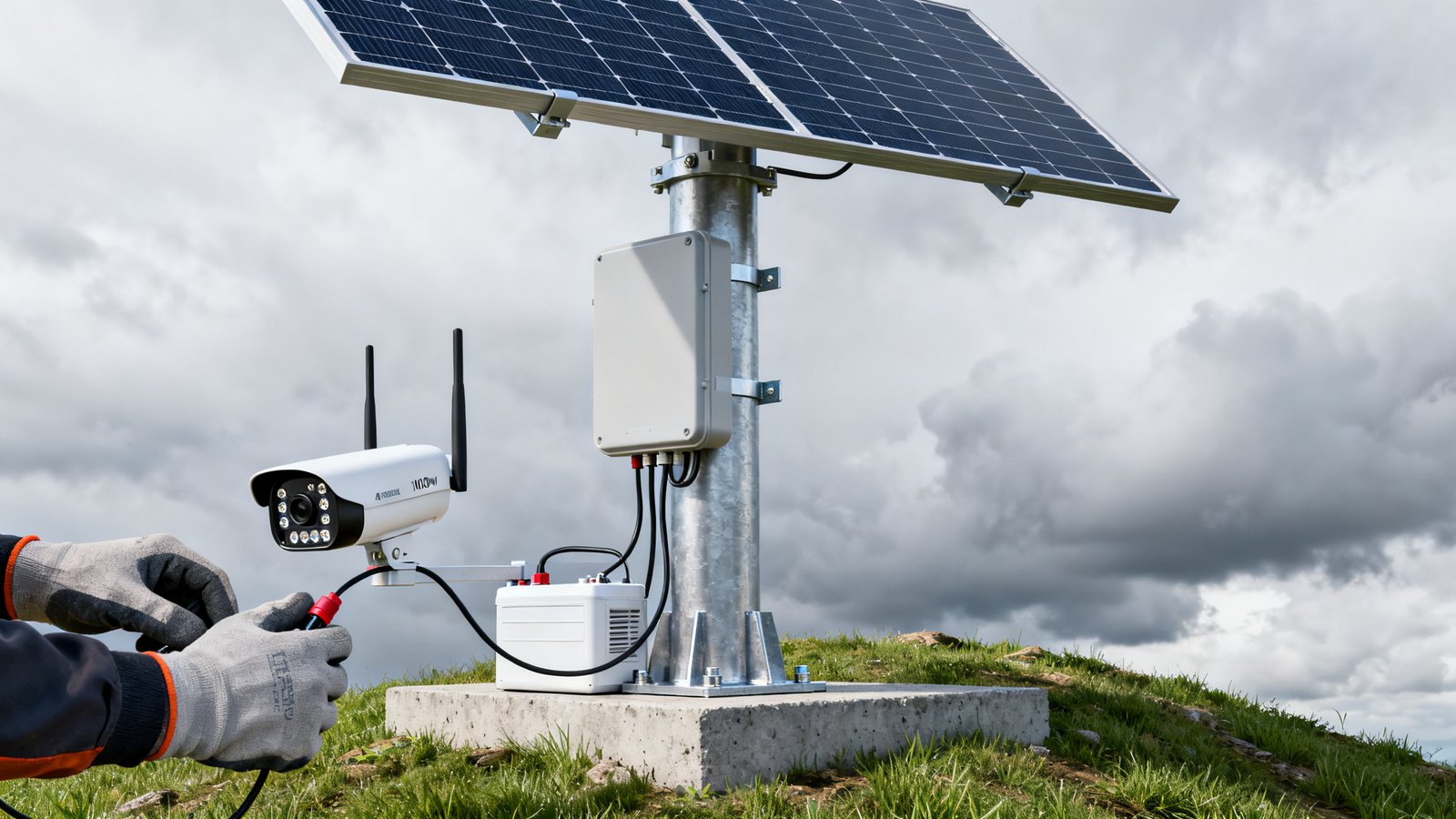
The one concrete, manufacturer backed specification comes from Milesight. Their all in one 4G solar kit pairs a 100W solar panel with up to a 962Wh battery. The company explicitly rates this combination to support 17 days of continuous recording, including night IR and AI analytics, even in cloudy rainy conditions. That is not a theoretical maximum tested in a lab in Arizona. It is the stated design target for poor weather performance.
What does a 100W panel mean in practice? A small 10W panel might produce 40 to 60 watt hours on a sunny day. Under heavy overcast, output can drop to 10 percent or less of rated wattage, maybe 4 to 10 watt hours. A 4G camera with IR LEDs running continuously can draw 3 to 5 watts, consuming 72 to 120 watt hours per day. The math fails quickly with an undersized panel. The 100W Milesight panel, even at 15 percent output under thick cloud cover, produces roughly 150 watt hours per day, enough to stay ahead of the camera’s draw and slowly refill the battery.
For buyers researching an off grid security camera 2026 or a solar powered security camera 4G, the lesson is simple: ignore kits that do not publish panel wattage. If the spec sheet says “solar panel included” without a wattage, assume it is inadequate for continuous operation. Demand the number. A 100W solar panel with a large battery buffer is the only verifiable benchmark for year round reliability in overcast latitudes.
Battery capacity and reserve rules of thumb for cloudy rainy periods
Panel wattage is only half the equation. The battery determines how many sunless days your system can survive before the camera goes dark. The rule of thumb is simple: size your battery for three times the longest cloudy stretch you expect.
The Milesight kit provides a useful worked example. Its 962Wh battery paired with a 100W panel is rated for 17 days of continuous recording in poor weather. To reverse engineer the math: a camera drawing 4 watts continuously uses about 96 watt hours per day. Over 17 days, that is roughly 1,632 watt hours. The battery alone cannot cover that. The panel must contribute a daily average even under clouds. If the panel averages 50 to 60 watt hours per day in overcast conditions, the combined system can stretch autonomy to that 17 day mark before depletion.
For your own property, ask: what is the longest stretch of dark, overcast days recorded in your area? In the Pacific Northwest or northern Midwest, two weeks of heavy cloud is common. A system without at least 800 to 1,000 watt hours of battery capacity will fail during those stretches. This is why a solar powered security camera 4G that looks good on a sunny test bench can become a paperweight by mid January. For broader home energy planning, a smart home energy management system can help you track seasonal solar production patterns and plan accordingly.
Data plans and the real cost question — what to expect for LTE usage
This is where vendor transparency collapses. No major camera brand publishes a specific monthly price for continuous cloud streaming over LTE. The numbers that do exist are for lightweight, event based usage. Outdoor Tech Lab estimates the eufy 4G LTE S330 cellular plan at $5 to $10 per month for basic connectivity. That covers limited live views and motion triggered clip uploads, not 24/7 streaming.
Eufy itself suggests typical data usage of 400 MB to 2 GB per month for about 10 live views and 25 motion recordings per day, each clip being roughly 10 seconds. That is a tiny fraction of what continuous streaming demands. If you stream a 1080p feed 24 hours a day at a modest 1 Mbps bitrate, you will consume roughly 330 GB per month. At standard IoT data rates of $0.05 to $0.10 per MB, that is hundreds of dollars. The exact cost is unreported because no carrier or brand wants to advertise it.
The practical framework for an LTE cellular outdoor camera or no wifi surveillance system is this: use local SD storage for continuous recording and cellular for event notification and short clip uploads. Schedule live view sessions manually rather than leaving a stream open. This keeps data under 2 to 5 GB per month on most plans. If you truly need 24/7 remote streaming, budget for a higher tier data plan and call the carrier directly for IoT pricing. Do not rely on the camera vendor’s marketing page for this number.
Specs frequently omitted by top guides — what to ask the seller
Our research of top ranking articles from Outdoor Tech Lab, SafeHome.org, and eufy’s own buying guides found consistent gaps. Three critical specifications are missing from nearly every review. Each one matters deeply for rural buyers.
Latency. When you open a live view, how many seconds pass between something happening on your property and you seeing it on your phone? Over a cellular network, latency can range from 2 seconds to 15 seconds or more. A person walking past a gate at normal speed covers 20 to 60 feet in that window. If your use case is real time verification of arrivals, latency is not a nice to have spec. It is the whole point. Ask for the average live view delay in seconds, tested on the carrier network you will use.
SIM lock. Does the included SIM card restrict you to one carrier? Many cameras ship with a pre installed SIM that is locked to a specific provider. If that carrier has weak signal at your property, you are stuck. A cellular security camera no WiFi with a locked SIM on the wrong network is just an expensive trail camera. Confirm whether the SIM is removable and whether the modem supports multiple carrier bands. An unlocked device that accepts your own SIM from any major carrier gives you control.
Upload bitrate options. Can you adjust the quality of cellular uploads independently from local recording? Some cameras force high bitrate uploads that consume data rapidly. Others let you dial down the remote stream to 360p or 480p for bandwidth efficiency while retaining 1080p or 4K on the SD card. This flexibility is essential for managing data costs on an LTE cellular outdoor camera. If you are also building out a broader connected property, understanding how Thread mesh network protocols handle low bandwidth device communication can inform your overall setup.
Continuous streaming vs event based recording — battery, data, and practical tradeoffs
Continuous cloud streaming over LTE is the holy grail that almost nobody can afford to run. The power draw alone is significant. A camera transmitting constantly keeps its modem in a high power state and prevents the device from entering low power sleep modes. This can triple daily energy consumption compared to event based recording with local storage.
Event based recording with SD storage is the pragmatic default for a security camera without internet in the traditional sense. The camera records continuously to the SD card, using minimal power for write operations. When motion detection, person detection, or a vehicle classification event triggers, the camera wakes the modem, uploads a short clip, and sends a notification. The rest of the footage stays on the card. You retrieve it physically or during a scheduled remote download session.
This mode keeps monthly data under 5 GB on most systems. Continuous cloud streaming, by contrast, has no documented cost benchmark from any source we reviewed. The eufy estimate of 400 MB to 2 GB covers only limited live views and motion clips, not streaming. For a no wifi surveillance system, the recommended hierarchy is: 24/7 local recording to SD card, event based clip uploads for alerts, and manual live view sessions when you need to check in. This gives you the security of continuous footage without the unpredictable data bill.
| Feature | Event Based (SD + Cellular Alerts) | Continuous Cloud Streaming |
|---|---|---|
| Monthly Data | ~2 to 5 GB | Not documented by vendors; potentially hundreds of GB |
| Battery Impact | Low; modem sleeps between events | High; modem active continuously |
| Remote Access | Clip notifications + manual live view | Full remote viewing at all times |
| Offline Resilience | Excellent; SD card keeps recording | Poor; no local backup if stream fails |
Installation challenges and placement tips for large rural properties
Installing a rural property security camera on a 40 acre parcel is nothing like mounting a doorbell cam in a subdivision. You are dealing with elevation, sight lines, livestock interference, and the very real problem of making a $400-plus device unappealing to a thief with a truck and a socket wrench.
Start with panel orientation. South facing is standard for northern hemisphere locations, but also consider whether morning or afternoon sun is more reliable at your specific site. A panel shaded by a treeline until 10 AM loses prime charging hours. Mount the panel at least 8 to 10 feet high to deter casual tampering and keep it above snow drifts. Use a pole mount rather than a wall mount if the building itself casts seasonal shadows.
For multi camera coverage on an off grid security camera 2026 setup, think about backhaul. If you deploy three or four cameras across a large property, each needs its own solar and cellular connection unless they link to a central gateway. Some systems use a base station that connects to multiple remote cameras over a private radio link. Place the gateway in a weatherproof enclosure with its own power source at the highest practical elevation on the property.
Check for seasonal changes in foliage. A clear sight line in November may be completely blocked by oak leaves in June. And remember that ice buildup on the solar panel in freezing rain conditions can wipe out production for days. If your system includes a battery free smart lock or other access control on the same gate, coordinate the cellular camera coverage so that entry events are captured from an angle that shows faces and license plates, not just the lock itself.
Common buyer red flags and warranty support considerations
Our research found limited specification transparency across reviewed guides. Only a few products, like the Milesight kit, provide full solar and battery specifications. Others, including eufy, describe battery capacity without disclosing panel wattage, and note in fine print that solar output drops in overcast skies without quantifying the reduction.
Red flags to watch for: no published panel wattage, no battery capacity in watt hours (mAh alone is insufficient without voltage), vague language about “supports solar charging” without specific charge controller specs, and no mention of cold weather battery performance. Lithium ion batteries lose significant capacity below freezing. Some cameras shut down entirely at minus 4 degrees Fahrenheit. If your winters hit those temperatures, demand a rated operating range.
Warranty terms matter more for off grid gear than for in home electronics. Ask whether the warranty covers the solar panel, the battery, and the camera as a unified system or as separate components. A two year warranty on the camera means little if the proprietary battery fails at month 13 and costs half the kit price to replace. Remote support availability is another factor. If the camera goes offline on a Sunday night, can you reach a human, or are you waiting until Monday for a chatbot response? For a solar powered security camera 4G protecting livestock or a vacant property, 48 hours of downtime is unacceptable.
2026 cost example: camera kit + 1 year of data — realistic baseline and unknowns
Let us build a realistic cost picture using the verifiable numbers available. Camera kit prices vary by brand, features, and retailer promotions, so you must check current pricing at purchase time. The Milesight kit list price was not provided in our sources, and consumer options like the eufy 4G LTE S330 fluctuate on Amazon.
What we can pin down is the annual data cost. Outdoor Tech Lab estimates LTE data for the eufy at $60 to $120 per year, based on $5 to $10 per month for event based usage. Add a 32 GB or 128 GB SD card at roughly $10 to $25. If you need a pole mount, weatherproof enclosure, or additional cabling, budget another $40 to $80.
The unknown is continuous cloud streaming. No source provides a specific monthly cost because the consumption is so variable and the carriers structure IoT plans differently. For a no wifi surveillance system using event based local recording, your first year total for data and accessories lands between roughly $100 and $225, plus the camera kit itself. If you require continuous remote streaming, call potential carriers directly and ask for a machine to machine data plan quote at your expected bitrate. Do not buy the camera until you have that number in writing. For additional perimeter security, pairing your camera with a reliable deadbolt lock on outbuildings adds a physical layer that complements the surveillance system.
Buyer’s final checklist and 10 vendor questions to quote in sales replies
Print this section or copy it into your phone before you talk to any sales rep. The questions cover the gaps we identified in published reviews. The checklist ensures you do not miss a practical installation detail.
Installation Checklist: One Page Summary
- Panel orientation confirmed as south facing with no morning shade obstacles
- Mounting height minimum 8 feet with tamper resistant hardware
- Battery capacity in watt hours verified and sized for longest cloudy stretch
- Depth of discharge buffer of 20 percent applied to usable capacity calculation
- Seasonal foliage and snow shadowing assessed for all four seasons
- SD card installed and formatted; local recording mode tested before leaving site
- Cellular signal strength measured at exact mounting location with target carrier
- Data plan activated and event based mode confirmed as default
- Warranty terms reviewed for panel, battery, and camera individually
- Emergency contact number for support saved offline
10 Vendor Questions to Send Before Purchase
- What is the exact solar panel wattage and the battery capacity in watt hours?
- How many days of continuous recording autonomy does the system provide in cloudy or rainy conditions, with published testing data to support that claim?
- What is the rated cold weather operating range, and does the battery include a self heating function?
- Is the included SIM card locked to a specific carrier, or can I install my own SIM from any provider?
- What is the average live view latency in seconds on the recommended cellular network?
- Can I adjust upload bitrate independently from local recording quality to manage data consumption?
- Does the modem support carrier roaming, and which LTE bands are available?
- What is the recommended monthly data plan for event based recording with motion clips, and what plan for continuous streaming?
- What is the warranty period for the solar panel, the battery, and the camera separately, and what is the process for a remote property warranty claim?
- Can you provide a sample data usage report from a customer with a similar deployment to mine?
These are not optional questions. Latency and SIM lock, in particular, were entirely absent from the top ranking guides we reviewed. A cellular security camera no WiFi is a long term infrastructure investment. Treat the sales conversation like you would when buying a tractor or a piece of farm equipment. Get the specs in writing.
Conclusion
Choosing a cellular security camera no WiFi for a rural property is an exercise in realistic system sizing, not a quick Amazon purchase. The panel must be large enough to generate usable power under thick cloud cover. The battery must carry the system through two weeks of gray skies without dipping into damaging discharge levels. The data plan must match your recording mode, and continuous cloud streaming remains an expensive black box with no published cost benchmarks from major brands.
Use the Milesight 100W panel with 962Wh battery as your reference benchmark. If a competing kit offers less solar wattage and a smaller battery, it will not deliver 24/7 reliability in overcast climates, regardless of what the marketing copy claims. Ask the 10 vendor questions. Walk through the installation checklist. Budget for the known data costs and treat continuous streaming as an unquantified premium. Get the camera, get the SD card, get the panel angled right, and you will have a surveillance system that works when the roads are closed and the power is out. That is the whole point.
Frequently Asked Questions
Do cellular security cameras work without any WiFi at all?
Yes. A cellular security camera uses 4G LTE mobile networks for connectivity, not WiFi or a wired internet connection. You insert a data SIM card and the camera communicates through cell towers. This makes it ideal for barns, cabins, construction sites, and rural properties where no ISP service is available.
How much does a 4G LTE data plan cost for a security camera?
For event based recording with motion triggered clip uploads, expect $5 to $10 per month or roughly $60 to $120 per year. This covers limited live views and short clip uploads. Continuous cloud streaming over LTE consumes dramatically more data and costs are not published by vendors. Contact carriers directly for machine to machine IoT data plan quotes if you need 24/7 remote streaming.
Can a solar panel keep a 4G camera running in winter?
Yes, but only if the panel and battery are properly sized. A 100W solar panel paired with a battery of 800 watt hours or more can sustain continuous 4G recording through cloudy winter weeks. Smaller consumer panels in the 5W to 10W range will fail during extended overcast periods. Cold temperatures also reduce battery efficiency, so look for cameras with rated cold weather operating ranges.
What happens if the cellular signal is weak at my property?
Weak signal causes dropped connections, failed uploads, and delayed notifications. Before buying, test signal strength at the exact mounting location using a phone on the carrier network you plan to use. If signal is marginal, consider an external antenna, a signal booster, or switching to a carrier with better rural coverage. An unlocked SIM slot gives you flexibility to change providers.
Do these cameras support local storage without a subscription?
Most cellular security cameras support local SD card storage without a subscription. The eufy S330, for example, stores footage on a microSD card and does not require a cloud subscription. This is the recommended setup for off grid use: record continuously to the SD card and use cellular data only for motion alerts and occasional live views.