

Finding a reliable Wi‑Fi 7 router smart home setup that handles 50 flaky IoT devices isn’t about chasing the highest speed number on the box. If your garage door drops offline every night or your video doorbell stutters, peak throughput becomes worthless instantly. This guide tests real world performance, calls out stability bugs, and maps out exactly what a 50-device Wi‑Fi 7 mesh actually costs so you can stop the spinning wheels and dead sensors, permanently.
Key Takeaways
- Wi‑Fi 7’s Multi Link Operation delivers redundancy, not just speed, but compatibility quirks with iPhones can force you to disable it.
- Netgear Orbi 770 and eero Pro 7 both recorded zero IoT dropouts in multi week stress tests, while ASUS ZenWiFi BQ16 Pro required manual intervention.
- Expect to spend $699 to $1,650 for a full mesh system. Factor in hidden cloud subscription fees and fan noise before you click buy.
- Why upgrade to Wi‑Fi 7 for a crowded smart home?
- Real-world reliability: what testing shows for dozens of IoT devices
- Throughput and latency expectations with 320 MHz: realistic numbers
- Top recommended Wi‑Fi 7 meshes for 50+ smart devices with negatives you must know
- What most “best smart home router” lists miss and setup optimization checklist
- Quick buyer decision flow and cost vs benefit summary
- FAQ to answer transactional doubts
Why upgrade to Wi‑Fi 7 for a crowded smart home?
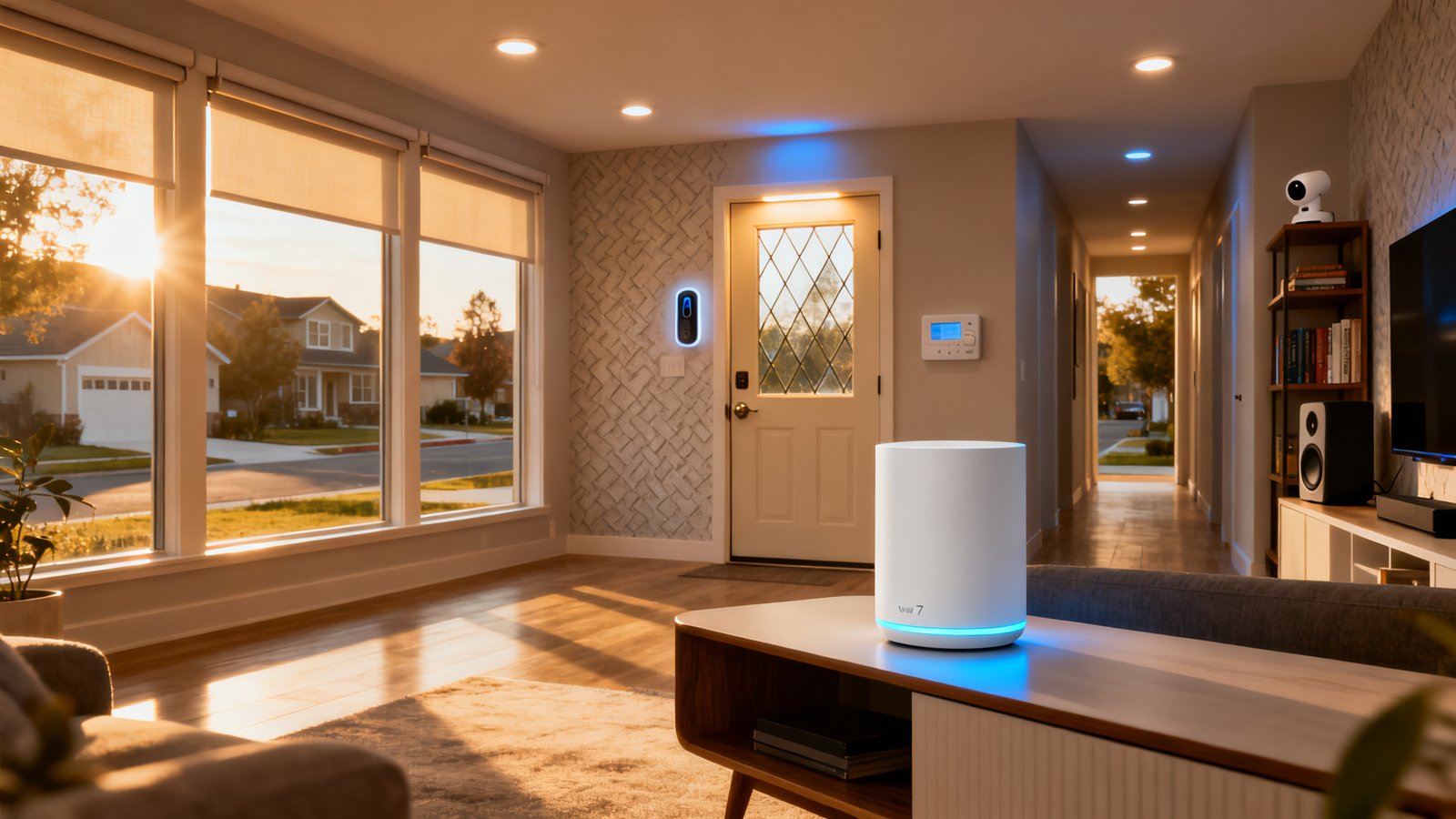
Wi‑Fi 6E gave us the clean 6 GHz highway, but Wi‑Fi 7 fixes how the rubber meets the road for a busy smart home. The upgrade isn’t just about dialing up peak speeds to 2 Gbps. It’s about Multi Link Operation. MLO lets a capable device, like a flagship phone or a mesh node backhaul, send data across two bands simultaneously. For a homeowner juggling 50 sensors and cameras, this means if the 6 GHz band gets blocked by a concrete wall, the data packet takes the 5 GHz path instantly without a retransmission. That is true redundancy.
Wider 320 MHz channels in the 6 GHz band also double the lane width of typical 160 MHz Wi‑Fi 6E routers. This gives high bandwidth players, like 4K security cameras or a smart home hub with display streaming constant feeds, plenty of airtime without suffocating your 2.4 GHz network. Despite the clear physics advantage, temper the timeline. By late 2026, widespread practical adoption is pegged between 2027 and 2028 as noted by Bulletproof Wifi. Broader adoption will continue ramping through 2025 and beyond. Right now, most IoT sensors still rely on slower but stable 2.4 GHz networks, so the router you buy today must treat the low band as a first class citizen, not an afterthought.
Real-world reliability: what testing shows for dozens of IoT devices
The benchmark for a best router for smart home 2026 isn’t raw throughput. It’s whether the Wi‑Fi 7 mesh router keeps IoT devices from falling off the network. Hands on testing published in a deep dive review tracked 20+ smart home devices over two weeks across several top tier Wi‑Fi 7 mesh systems.
The Netgear Orbi 770 and eero Pro 7 emerged as the ruthless stability leaders. Both recorded zero disconnections across the entire test period. If you run smart locks like a smart deadbolt or security automations that fire instantly, this is the metric that matters. The eero Pro 7 used a wired and wireless backhaul mix flawlessly, while the Orbi 770 held the line even when satellites communicated through thick concrete.
By contrast, the ASUS ZenWiFi BQ16 Pro didn’t survive the test without scars. The review explicitly noted IoT devices occasionally disconnected 2 to 3 times during the 14 day testing period. That sounds minor, but a two second dropout often means a smart routine misfires. In a home running 50 devices, a 15 percent anomaly rate across a fleet feels like death by a thousand paper cuts.
Throughput and latency expectations with 320 MHz: realistic numbers
Advertised box speeds assume a lab with one client and zero interference. Real world throughput 320MHz with 50 IoT devices will look very different. With roughly 20 active smart home devices chattering on the network, testers connected a Wi‑Fi 7 client to the 6 GHz backhaul. Here is a snapshot of the real numbers:
| Router | Close Range 320 MHz | Wireless Satellite Through Concrete |
|---|---|---|
| Netgear Orbi 770 | 1,967 Mbps | 1,087 Mbps |
| eero Pro 7 | 1,912 Mbps | 1,034 Mbps |
| ASUS ZenWiFi BQ16 Pro | 1,954 Mbps | 967 Mbps |
Those numbers drop further as you pile on 30 or 40 extra sensors. While no formal study provides exact throughput data with exactly 50 IoT devices, expect the 6 GHz backhaul speeds to degrade by another 10 to 20 percent as the router processor manages the background noise and broadcast traffic from cheap 2.4 GHz smart plugs and outdoor plugs.
Latency for home automation is the real prize. A low latency router home automation setup lives or dies by response time. Ezurio notes that Wi‑Fi 7 can potentially reduce latency by over 80 percent in some implementations compared to Wi‑Fi 6, with a spec target of sub 10 ms latency. MLO is designed to slice this down further by sending redundant packets, but the exact millisecond gain of MLO versus Wi‑Fi 6E for a generic IoT sensor isn’t established in public mobile benchmarks yet. The tech works, but you won’t see a clean “4 milliseconds faster than 6E” label. You’ll only feel it when your automations stop failing.
Top recommended Wi‑Fi 7 meshes for 50+ smart devices with negatives you must know
Every router for 50 smart devices makes tradeoffs. The perfect device doesn’t exist yet, but these come close if you know where their bodies are buried.
Netgear Orbi 770 Series: The Silent Workhorse
The 3 pack at $699 delivered zero disconnections across the board. The dedicated backhaul keeps the mesh responsive even under heavy load. The catch is the Netgear Armor subscription push. Security pop ups in the admin panel are aggressive, and you pay annually if you want the full feature set.
eero Pro 7: The Easy Button
The eero Pro 7 3 pack also sits at $699 and logged a perfect stability score. It handles handoffs between nodes gracefully, and the app makes adding a new smart plug foolproof. The hidden cost is the eero Plus subscription for advanced security and parental controls. Also, as an Amazon owned company, cloud dependency and local processing limits raise valid privacy questions for our audience.
ASUS ZenWiFi BQ16 Pro: Power with Pitfalls
At $1,100 for a 2 pack, you might need a third node for a large home, pushing the cost higher. It’s a fantastic hardware kit, but iPhone MLO compatibility is broken in current firmware. You must disable MLO entirely. It also suffers the aforementioned 2 to 3 disconnections during a 14 day window. For a wifi 7 mesh router iot devices setup that needs to run unattended, routine dropouts are a non starter unless you enjoy tinkering.
TP Link Deco BE95: Fast but Audible
The $1,000 2 pack performance is excellent, but the reviews call out fan noise. In a quiet hallway or bedroom closet, the whine is noticeable. If cooling fans aren’t your vibe in a living space, physical placement options shrink dramatically.
Xiaomi BE3600 Pro: The Value Import
The 3 pack ranges from $600 to $750 and offers an exceptional price to performance ratio. But you trade away 10G ports, and North American warranty support is sparse. Privacy implications with Chinese cloud infrastructure are also a black box most reviews skip.
What most “best smart home router” lists miss and setup optimization checklist
Nearly every router roundup ignores the real world pain points of a smart home network upgrade. Before you swipe your credit card, audit these missing subtopics that heavily impact wifi 6e vs wifi 7 smart home decisions.
First, subscription fees are rarely tallied. Features like eero Plus and Netgear Armor add $99 to $129 annually. Second, dedicated 2.4GHz SSIDs are mandatory. Modern band steering algorithms try to push things like smart home air quality monitors to 5 GHz, causing connection failures. On the ASUS BQ16 Pro, you must manually build a legacy IoT network on 2.4 GHz. Third, iPhone users face MLO bugs. As of recent testing, enabling MLO on ASUS gateways caused stability failures with Apple hardware. Disable it in the professional settings until firmware catches up.
Next, evaluate physical noise. The TP Link Deco BE95’s fan noise is a dealbreaker for bedroom or home office placement. Finally, consider how a Thread mesh network smart home setup offloads small sensors. If half your 50 devices are Thread capable, they bypass the Wi‑Fi 7 router entirely, reducing airtime congestion and masking poor firmware tuning.
Quick buyer decision flow and cost vs benefit summary
To pick the best router for smart home 2026 without overpaying, run this logic tree. If you prioritize security and need an advanced firewall, look at niche prosumer gear like the Ubiquiti UniFi Dream Router 7. It sits outside the plug and play category but gives you surgical control over IoT VLANs. If you just want stability, the cost full Wi‑Fi 7 mesh for 50 devices lands at $699 for either the Orbi 770 or eero Pro 7 3 packs.
If you have a sprawling 4,000 square foot plus home with 10 GHz hungry cameras, budget $1,100 to $1,650 for the ASUS or TP Link 2 packs plus an additional satellite. For those willing to take a mild risk on support for a $600 to $750 total bill, the Xiaomi BE3600 3 pack works if you treat it as a disposable asset with zero privacy guarantees.
A smart home energy management system or a cluster of battery cameras demands low latency. Stick to the Orbi or eero if you cannot tolerate even a two second freeze. The small price premium over generic imports is buying you firmware quality assurance, not just hardware.
Final take: the real goal is silent reliability
Focusing exclusively on 320 MHz throughput misses the point of a crowded smart home. Those speed numbers break down fast when a mesh node must juggle broadcast traffic from 50 low power sensors. The Orbi 770 and eero Pro 7 currently provide the only dead silent experience without random client kicks. Factor in the cost of subscriptions, the noise of cooling fans, and the iPhone MLO debacle before deciding between wifi 6e vs wifi 7 smart home hardware.
Run a quick home audit tonight. Count your devices by band, note how many are on 2.4 GHz, and verify your automation latency needs. Your goal with a Wi‑Fi 7 router smart home shouldn’t be headline grabbing speed, but invisible utility that never forces you to reboot a router at 2 AM. Download our printable checklist to map your device load and select the right mesh node count before you buy.
FAQ to answer transactional doubts
Do I need Wi‑Fi 7 now or should I wait?
If your current router drops devices or you’re adding 20 new sensors, the stability leap is worth it. Widespread practical adoption will hit around 2027 or 2028, but buying a stable mesh now fixes immediate dropout pain while future proofing for the next hardware cycle.
Will my iPhone work reliably with Wi‑Fi 7 MLO enabled?
It depends on the router. The ASUS ZenWiFi BQ16 Pro specifically required disabling MLO due to iPhone compatibility failures in recent benchmarks. The eero and Netgear implementations did not exhibit this bug, but Apple’s MLO support remains finicky. Plan to test it manually or leave the feature off for now.
Are those annual subscription services mandatory for security?
Not for basic operation. eero Plus and Netgear Armor layer on advanced threat detection and ad blocking. If you don’t want the cloud dependency or extra cost, you can route secure DNS through a local pi hole or leave your basic firewall intact without paying annually.
How many nodes do I need for 50 devices in a 3,000 sq ft home?
Three nodes are the baseline for concrete or drywall heavy builds. A 2 pack struggles with edge placed garage sensors and doorbell cameras. With 50 devices broadcasting metadata nonstop, the extra hop capacity from a third node keeps the response time from creeping above 10 milliseconds.
Does Wi‑Fi 7 guarantee sub 10 millisecond latency for cameras?
The specification targets this, and MLO can reduce jitter, but no standardized real world test proves an exact millisecond gain over Wi‑Fi 6E for generic IoT yet. You’ll see the biggest gains when the backhaul stays wired. If you rely entirely on a wireless mesh backhaul, latency spikes through multiple concrete walls are still physics bound.